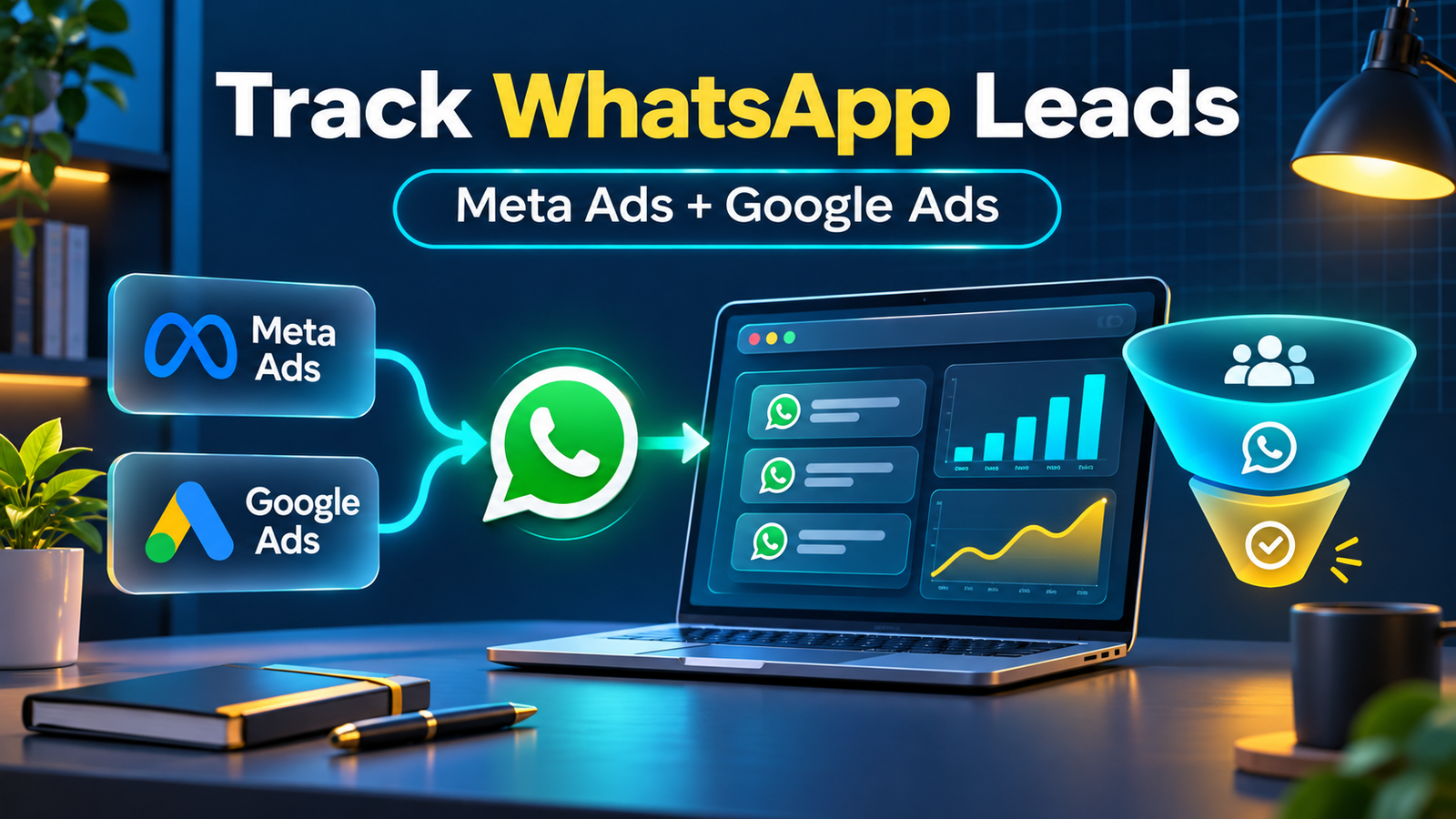
WhatsApp leads from Meta and Google Ads: what to track
For every WhatsApp enquiry, try to capture the platform, campaign, ad set or ad group, keyword or creative, landing page, date and time, first response, qualification status, booked meeting and final revenue. A WhatsApp button click is an intent signal; a lead is a real conversation or contact that your team can follow up.
1. Create a dedicated WhatsApp campaign link
Use a clear WhatsApp call to action on the landing page instead of hiding the contact option in a footer. A direct link can look like this:
>https://wa.me/919625838783?text=I%20want%20to%20learn%20about%20your%20marketing%20services
Create a different pre-filled message for important campaigns. For example, a Meta Ads campaign can use “I want help with Meta Ads” while a Google Search campaign can use “I want a Google Ads audit”. This makes manual reporting easier and helps your sales team understand the visitor’s intent.
2. Add UTM parameters before sending visitors to WhatsApp
UTM parameters identify the source and campaign that brought a visitor to your site. A useful landing-page URL might include:
>?utm_source=meta&utm_medium=paid_social&utm_campaign=whatsapp_leads_delhi
For Google Ads, use values such as >utm_source=google, >utm_medium=cpc and a campaign name. Keep the naming consistent. When a visitor clicks WhatsApp, store the original UTM values in a cookie, hidden form field, CRM record or lead sheet so the source is not lost.
3. Track WhatsApp clicks from Meta Ads
Install the Meta Pixel through Google Tag Manager or your website’s approved tracking method. Create a click event for the WhatsApp button and send a standard event such as >Contact, or a clearly named custom event such as >WhatsAppLeadClick. Test the event in Meta Events Manager before using it for campaign optimization. Read Meta’s official Meta Pixel documentation for the current setup and testing guidance.
Use the event as a conversion only after you confirm that it represents meaningful intent. If every accidental click is counted as a lead, Meta may optimize for cheap clicks rather than qualified conversations. Where possible, connect Conversions API or a CRM feedback process for stronger measurement.
4. Track WhatsApp clicks from Google Ads
For Google Ads, configure Google Tag Manager to listen for clicks on your WhatsApp link. Send a GA4 event named >whatsapp_click with useful parameters such as link location, landing page, campaign and device. Mark the event as a conversion in GA4 and import it into Google Ads. Google’s official event measurement guide explains how to create and validate these events.
Keep auto-tagging enabled so Google can attach the >gclid to the visit. If your CRM can connect a WhatsApp conversation to the original click, upload qualified-lead or sales outcomes as offline conversions. This tells Google which enquiries became customers, not just which buttons were clicked. In other words, tracking WhatsApp leads from Meta and Google Ads should connect ad clicks with qualified outcomes.
5. Keep a simple lead record
You do not need a complicated CRM to start. A spreadsheet can include these columns:
- Date and time
- Lead name and phone number
- Platform: Meta or Google
- Campaign and ad or keyword
- UTM source, medium and campaign
- First response and follow-up owner
- Qualified, booked, won or lost status
- Revenue and notes
Use one row per person and add a unique phone number or conversation ID to reduce duplicate counting. Review the sheet weekly and correct missing sources while the conversation is still recent.
6. Measure qualified WhatsApp leads, not only clicks
Cost per click and cost per WhatsApp conversation are useful early indicators, but they are not the final business result. Compare cost per qualified lead, cost per booked call and cost per sale. A campaign with fewer conversations can be better if those conversations have stronger buying intent.
For example, a useful monthly report can show: ad spend, WhatsApp clicks, conversations started, qualified leads, booked calls, sales, revenue and cost per qualified lead. Break the numbers down by Meta and Google so you can see where budget is creating the best business outcome.
Common tracking mistakes
- Using one generic WhatsApp link for every campaign
- Not preserving UTM parameters after the landing-page visit
- Counting a button click as a confirmed lead
- Changing campaign names without documenting the change
- Failing to respond quickly or assign a follow-up owner
- Ignoring offline outcomes such as booked calls and sales
Frequently asked questions
Can I track WhatsApp leads without the WhatsApp Business API?
Yes. You can begin with UTMs, a tracked button-click event and a lead sheet or CRM. The API becomes more useful when you need automated messages, larger volumes or deeper conversation-level reporting.
Is a WhatsApp click the same as a lead?
No. A click shows intent, while a lead is a real conversation or contact that can be followed up. Report both numbers separately.
Which is better for WhatsApp leads: Meta Ads or Google Ads?
It depends on intent and audience. Meta can create demand with visual targeting, while Google can capture people already searching for a service. Track qualified outcomes before deciding where to increase budget.
7. Build a practical reporting workflow
Good tracking is useful only when the numbers lead to a clear action. Set up a simple routine so your team checks the same metrics consistently. Start by comparing the source and campaign recorded for each WhatsApp conversation with the actual conversation quality. If a campaign creates many clicks but very few replies, check the message, landing-page promise and audience before increasing the budget.
Daily checks
Review new conversations, response time, duplicate contacts and missing campaign information. Assign every new enquiry to an owner and record whether the person is a new lead, an existing customer or an irrelevant message. Fast replies and clean records often improve results more than adding another tracking tool.
Weekly review
Compare Meta and Google by qualified leads, booked calls and cost per qualified lead. Look for broken links, campaigns with missing UTMs, unusual click spikes and ads that attract the wrong intent. Keep a short note about any naming or targeting change so future reports remain comparable. This makes tracking WhatsApp leads from Meta and Google Ads easier.
Monthly decisions
Use sales outcomes to decide where the next month’s budget should go. Pause sources that produce repeated low-quality enquiries, improve the landing page when clicks are strong but conversations are weak, and create more ads around the messages used by qualified prospects. This turns WhatsApp tracking into a repeatable growth process.
Final takeaway
Start with one clean WhatsApp link, consistent UTMs, a tested click event and a simple lead register. Then connect qualified outcomes back to Meta and Google Ads. If you need help setting up lead tracking and campaigns, visit IconicMoney’s lead generation service or request a free marketing audit. Track WhatsApp leads from Meta and Google Ads consistently.