
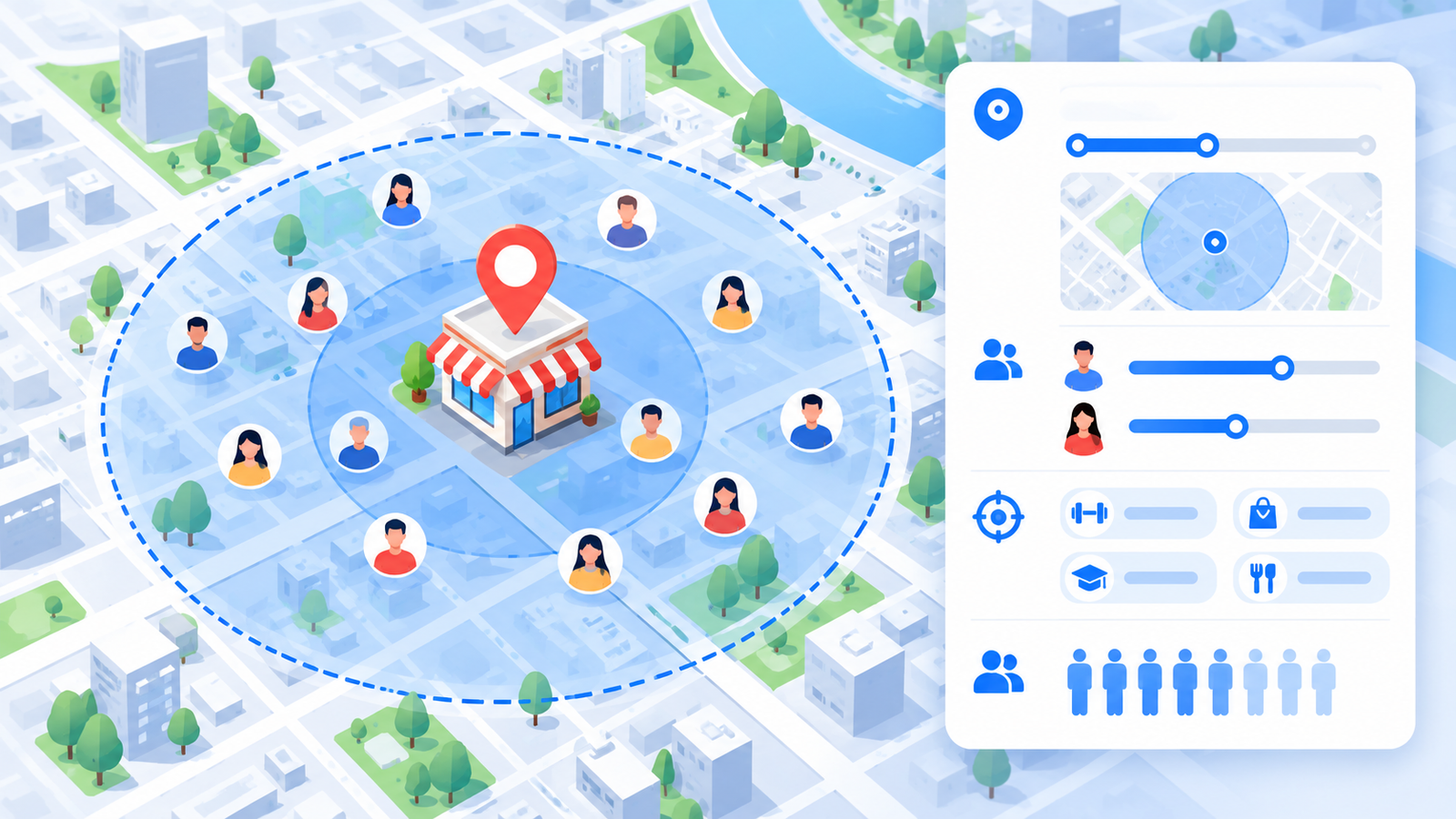
Facebook Ads Targeting Strategy for Local Businesses
If you run a clinic, coaching institute, salon, restaurant, or shop, you do not need customers from the whole country. You need people who live or work near you and are ready to buy. That is why Facebook ads targeting matters so much for local businesses: the right setup keeps your budget focused on nearby customers instead of random clicks.
The short answer: A good Facebook ads targeting strategy for local businesses has three layers: a tight location around your business, a broad or lightly defined audience that lets Meta find likely buyers, and creative and offers that speak directly to local customers. Start simple, add custom audiences and exclusions as you collect data, and judge results by cost per qualified lead.
This guide explains each step, with examples for Indian local businesses.
Why Facebook Ads Targeting Is Different for Local Businesses
Online brands can sell to anyone. Local businesses can only serve people within reach. That changes how you plan Facebook ads targeting:
- Your catchment area matters more than interests.
- Small audiences can run out quickly, so ad fatigue arrives sooner.
- Phone calls, WhatsApp chats, and walk-ins matter as much as clicks.
- Trust and local familiarity help your ads convert.
The 3-Layer Local Targeting Framework
| Layer | Question it answers | What you control |
|---|---|---|
| 1. Location | Who is close enough to visit or be served? | City, area, or radius |
| 2. Audience | Who is most likely to need this? | Age, language, interests, custom audiences, or broad targeting |
| 3. Creative and offer | Who will respond? | Hook, language, local references, call to action |
Most owners spend all their time on layer 2. For local businesses, layers 1 and 3 often decide the result of their Facebook ads targeting.
Step 1: Define Your Ideal Local Customer
Before opening Ads Manager, write down who buys from you. Use this template:
| Question | Example answer |
|---|---|
| Who buys? | Parents of Class 9–12 students |
| Where do they live or work? | Within 5 km of the institute |
| What problem do they have? | Poor exam results, need guidance |
| What triggers a purchase? | Exam season, new session, admissions |
| What language do they use? | Hindi and English |
This answer becomes the base of your Facebook ads targeting settings and your ad message.
Step 2: Map Your Catchment Area for Facebook Ads Targeting
Decide how far customers will travel to reach your local business. This is an illustrative guide, not a rule:
| Business type | Typical thinking |
|---|---|
| Restaurant, salon, gym | A small radius around the outlet |
| Clinic, coaching institute | A wider area or several nearby localities |
| Home services (repair, cleaning) | The full service area of your team |
| Real estate, interiors | The city plus nearby cities where buyers may come from |
In Ads Manager, you can usually target by city, area, or a radius around a point. Confirm the options currently available in your account, since location settings can change.
Tip: Check your existing customer addresses or enquiries. If most come from five localities, start there.
Step 3: Choose Your Facebook Ads Targeting Audience Type
| Audience type | Best used when | Watch out for |
|---|---|---|
| Broad (with location only) | You have a clear offer and good creative | Needs strong creative to filter |
| Advantage+ audience | You want Meta to find likely buyers within your location | Less manual control |
| Interest-based | Your product matches clear interests | Interests can be too narrow |
| Custom audiences | You have customers, website visitors, or engagers | Needs enough source data |
| Lookalike audiences | You have a good customer or lead list | Quality depends on the source list |
For a new local business, a sensible start is a location-based broad or Advantage+ audience, tested against one interest-based or custom audience. Meta increasingly favours automated audience options, so confirm current names and settings in Ads Manager.
Step 4: Use Custom Audiences and Retargeting
Once you have some data, custom audiences make your Facebook ads targeting more efficient by helping you reach warm people at lower cost.
- Customer lists: Upload existing customers or past enquiries where you have permission
- Website visitors: People who viewed your pages
- Engagers: People who watched your videos or interacted with your Page or Instagram profile
- WhatsApp or lead form interactions: People who started but did not finish
Use retargeting for reminders and offers, such as “Book your free consultation this week”. Keep a modest share of budget for it.
Step 5: Add Exclusions to Save Budget
Exclusions help local businesses avoid paying for people who should not see the ad.
- Exclude existing customers from new-customer offers
- Exclude people outside your service area
- Exclude recent converters from lead ads
- Avoid overlapping audiences across ad sets
Cleaner audiences reduce wasted spend and make your Facebook ads targeting results easier to read.
Step 6: Let Your Creative Support Your Facebook Ads Targeting
Even with a broad audience, your ad can speak to the right person.
- Mention the place: “Free dental check-up in Lajpat Nagar”
- Speak their language: Hindi, English, or Hinglish where it fits your customers
- Show local proof: Real photos of your location, team, or work
- Be specific about the offer: Who it is for, what they get, and how to respond
- Use a simple action: Call, WhatsApp, or Book Now
A local hook often filters better than an extra targeting layer.
Step 7: Set Budget, Test, and Review
Local businesses should work backwards from what a customer is worth. This is an illustrative example:
If a new customer is worth ₹3,000 and about 1 in 10 enquiries becomes a customer, you can pay up to about ₹300 per enquiry. Set a daily budget you can sustain for several weeks of testing.
A simple structure for Facebook ads targeting tests:
- Ad set A: Location only (broad or Advantage+)
- Ad set B: Location plus one interest or custom audience
- Ad set C (later): Retargeting warm audiences
Keep the same creatives across ad sets while testing, so you learn about the audience, not the ad. Review weekly, and judge by cost per qualified lead, not just clicks.
Facebook Ads Targeting Examples for Local Businesses
These are starting points to test, not guaranteed results:
| Business | Location idea | Audience idea | Creative idea |
|---|---|---|---|
| Coaching institute | Several nearby localities | Parents, age range, broad test | Free demo class, results, batch timings |
| Dental or skin clinic | Area plus nearby areas | Broad adults in the catchment | Consultation offer, doctor credentials |
| Salon or spa | Small radius | Women or broad, depending on services | Festival offers, before and after work |
| Restaurant or café | Small radius | Broad, with offers | Photos, combo deals, WhatsApp ordering |
| Interior or real estate | City and nearby cities | Broad plus retargeting | Project visits, floor plans |
Common Facebook Ads Targeting Mistakes Local Businesses Make
- Targeting a whole city when customers come from a few areas
- Making the audience so narrow that delivery stalls
- Stacking too many interests
- Skipping exclusions
- Running similar audiences against each other
- Changing targeting every day
- Ignoring creative, language, and offer
Your Facebook Ads Targeting Checklist for Local Businesses
- Ideal customer written down
- Catchment area mapped from real customer data
- One broad or Advantage+ audience in test
- One more audience for comparison
- Exclusions added
- Creatives mention the local area and offer
- Enquiries tracked and followed up quickly
- Weekly review of cost per qualified lead
Realistic Expectations
Results depend on your industry, location, competition, budget, and follow-up. Facebook ads targeting needs a testing period before you find the audience and message that work best for your local business. You can find more practical guides on the ICONICMONEY blog, explore our Meta Ads services, or learn about our team and approach. If you want an expert look at your setup, you can request a free marketing audit.
Need help with Facebook ads targeting for your local business? ICONICMONEY helps businesses improve their digital marketing through Meta Ads management and lead generation strategy. Get in touch to discuss your goals and explore a strategy suited to your business. Request a Free Audit
D. FAQ Section
What is the best Facebook ads targeting for local businesses?
There is no single best option. A good start is a tight location with a broad or Advantage+ audience, tested against one interest-based or custom audience, then refined with exclusions and retargeting.
How large should my target radius be?
It depends on how far customers will travel. Restaurants and salons may need a small radius, while clinics, institutes, and home services may cover wider areas. Check where your current customers come from.
Should I use interests or broad targeting?
Test both. Interests can help when your product matches clear interests, while broad targeting lets Meta find likely buyers, as long as your creative and offer are specific.
Can I target by city and area in India?
Meta generally lets you target by city, area, or a radius around a location. Options can change, so confirm what your account currently offers in Ads Manager.
How do I stop wasting budget on the wrong people?
Use exclusions, tighten your location to real catchment areas, write local and specific creatives, and track which leads are qualified.
How long should I test a Facebook ads targeting setup?
Plan for at least a few weeks of steady spend and weekly reviews. Avoid judging after one or two days.
1 Comment
[…] use a radius around your venue or the areas you serve, instead of all of Delhi NCR. Our guide to Facebook ads targeting for local businesses explains this in […]