
Why Are Your E-commerce Ads Getting Clicks but No Orders?
The ad dashboard looks busy. Clicks are coming in, the cost per click seems reasonable, and traffic is flowing to your store. But the orders list stays almost empty.
This is one of the most common and frustrating problems in online selling. The good news is that it is usually fixable, because a click that doesn’t become an order is leaking somewhere along the path. This guide shows you how to find the leak and fix it in the right order, so you stop paying for traffic that goes nowhere.
The Short Answer
When e-commerce ads get clicks but no orders, the cause is usually one of four things:
- You can’t see the orders. Tracking is broken or incomplete.
- The wrong people are clicking. The audience, objective or creative attracts curiosity, not buyers.
- The page loses them. It loads slowly, doesn’t match the ad, or doesn’t build enough confidence.
- Checkout stops them. Shipping cost, payment options or form friction kill the purchase.
Don’t guess which one it is. Follow the funnel.
Step 0: Make Sure the Orders Really Aren’t There
Before changing anything, compare three numbers for the same dates:
- Orders in your store (Shopify, WooCommerce or other platform)
- Purchases reported by Meta or Google Ads
- Purchases in Google Analytics
If your store shows orders that the ad platform doesn’t, you have a tracking problem, not an ad problem. Common causes:
- Pixel or Google tag not installed on the order confirmation step
- Payment gateway redirects that break tracking
- COD or UPI orders not firing a purchase event
- Server-side tracking set up wrongly or not at all
- Attribution windows that make sales appear later than the click
Quick test: place a real test order (including a COD order if you offer it) and check whether the purchase event appears in each platform. Tools such as the Meta Pixel Helper and Google Tag Assistant can help you check.
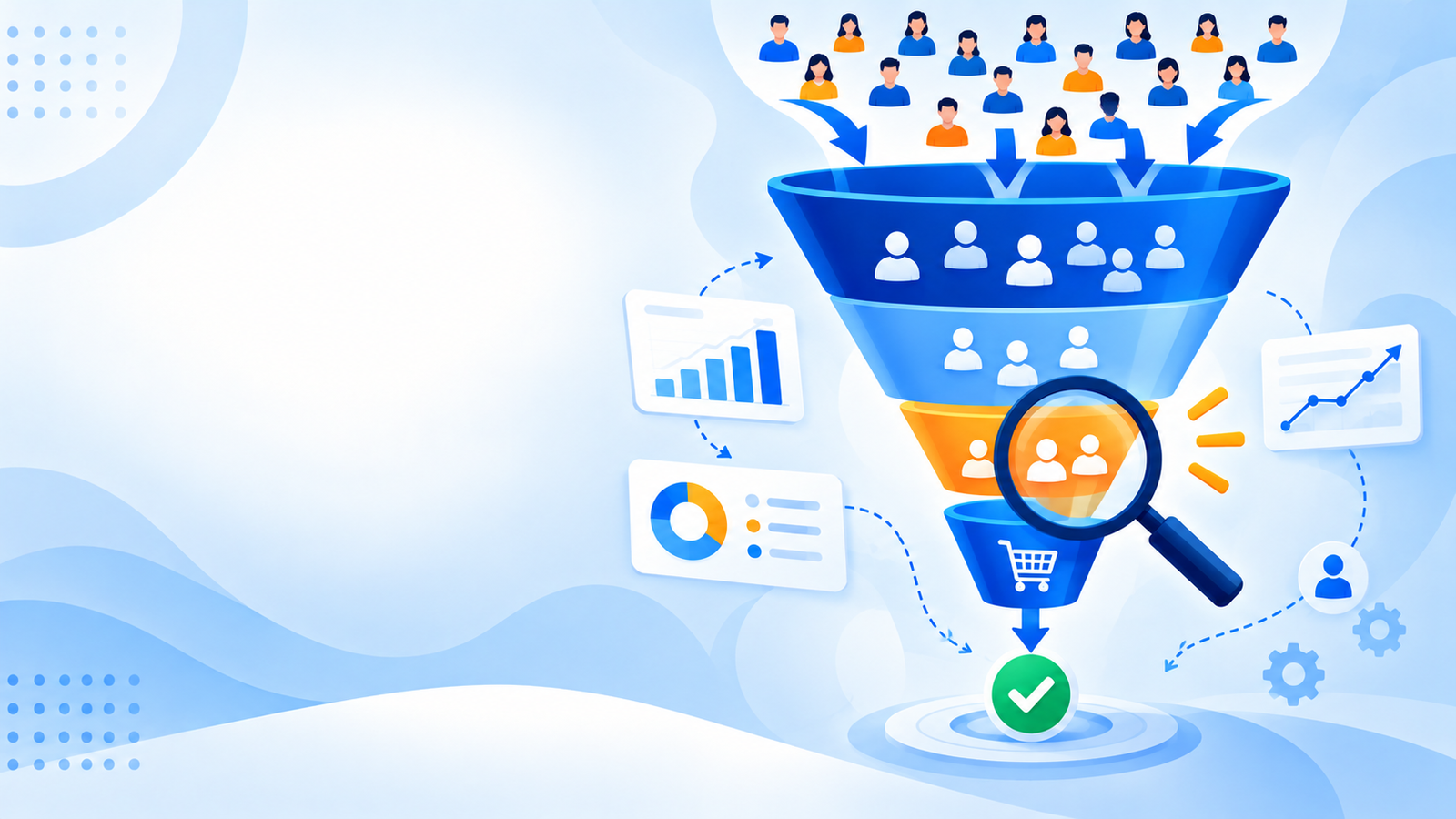
Use the Funnel to Find the Leak
Think of the customer journey as a series of steps. Each step loses some people. Your job is to find the step that loses far more than it should.
| Funnel step | Where to see it | If this step is weak, suspect |
|---|---|---|
| Impression → link click | Ads Manager (CTR) | Creative, audience, offer |
| Link click → landing page view | Ads Manager | Page speed, tracking, accidental clicks |
| Landing page → product view | Analytics | Wrong destination, message mismatch |
| Product view → add to cart | Store analytics | Product page, price, trust |
| Add to cart → checkout started | Store analytics | Shipping cost surprise, cart friction |
| Checkout → purchase | Store analytics | Payment options, form friction, COD rules |
There is no single “good” rate that fits every store. Compare each step with your own earlier data, with your better-performing products, and with the previous step.
Worked example (hypothetical, for illustration only)
Imagine a store that spends ₹12,000 and gets 1,000 link clicks at about ₹12 per click:
| Step | People | Share of previous step |
|---|---|---|
| Link clicks | 1,000 | n/a |
| Landing page views | 700 | 70% |
| Product page views | 350 | 50% |
| Add to cart | 35 | 10% |
| Checkout started | 14 | 40% |
| Purchases | 3 | about 21% |
If each order is ₹1,200, those three orders bring ₹3,600 on ₹12,000 of spend, so each order costs about ₹4,000 to win.
This is an invented example. The pattern to notice: the biggest drops are between product page and add to cart, and checkout and purchase. Better ad targeting wouldn’t fix those. A stronger product page and a smoother checkout would.
Cause 1: Tracking Is Hiding Your Orders
Covered in Step 0. Fix this first, because every other decision depends on trustworthy numbers. If you can’t tell which ad produced which order, you can’t optimise.
Cause 2: The Clicks Aren’t From Buyers
Not all clicks are equal. Common reasons for low-intent clicks:
- The campaign objective rewards clicks, not purchases. If you optimise for traffic or link clicks, the platform finds people who click, not people who buy.
- Curiosity creatives. A funny or shocking video can get clicks from people with no intent to purchase.
- Audience too broad or poorly matched. Interest targeting that doesn’t match your buyer brings window shoppers.
- Accidental or low-quality placements. Check performance by placement and cut those that bring clicks but no add-to-carts.
- “Clicks (all)” instead of link clicks. Broader click counts can include interactions that never reach your site. Look at link clicks, outbound clicks and landing page views instead.
Fixes:
- Use a purchase or add-to-cart objective once your tracking works.
- Make the ad show the product, price range or offer clearly, so only interested people click.
- Add retargeting for people who viewed products.
- Review performance by placement, age, gender and city.
Cause 3: Clicks Never Reach a Loaded Page
Compare link clicks with landing page views. A landing page view counts only when the page loads, so some gap is normal. A big gap means people click and leave before your page appears, which usually points to slow loading or a tracking issue.
Google’s guidance for Core Web Vitals says the main content should load within 2.5 seconds, measured at the 75th percentile of real visits. Most of your Indian traffic is mobile and many shoppers are on mid-range phones and variable connections, so this matters.
Fixes:
- Test your key pages on PageSpeed Insights, on mobile first.
- Compress and resize images, especially the top banner.
- Remove unused apps, plugins and scripts.
- Avoid heavy sliders and autoplay video at the top of the page.
- Use a lightweight, well-built theme.
Cause 4: The Page Doesn’t Match the Ad
If the ad promises “Cotton kurta set under ₹999” and the page shows a generic homepage, the visitor has to hunt for it. Most won’t.
Fixes:
- Keep the same product, offer, image and wording from ad to page.
- If the ad says “Free shipping,” show it above the fold.
- Make sure the price in the ad matches the price on the page.
Cause 5: You Send Traffic to the Wrong Destination
Sending cold traffic to a homepage makes people work too hard. Better destinations:
- A specific product page for single-product ads
- A focused collection page for category ads
- A dedicated landing page for a campaign offer
Check that the link opens correctly on mobile, applies any discount code, and doesn’t land on an “out of stock” product.
Cause 6: The Product Page Doesn’t Convince
Many stores lose the sale here. Check your top product pages for:
- Images: multiple angles, size reference, lifestyle photos, short video
- Clear price and offer, including any discount
- Reviews and ratings, ideally with photos
- Size guides, ingredients, specifications or usage instructions
- Delivery estimate by pincode
- Return and exchange policy, visible on the page
- A clear, visible Add to Cart button on mobile without scrolling endlessly
Ask a friend who doesn’t know your product to open the page on their phone and tell you what they’d still want to know. Those gaps are often your conversion problem.
Cause 7: Price, Shipping or Offer Isn’t Competitive
Shoppers compare. If similar products elsewhere are cheaper or ship faster, your ad will bring clicks but few sales.
Check:
- Your price against close competitors
- Whether shipping charges appear only at checkout (a common cause of abandoned carts)
- Whether your offer is clear and has a reason to act now
- Whether your minimum order or delivery time puts people off
Sometimes the problem isn’t the ads. It’s that the product, price or offer isn’t strong enough yet. Small tests of price, bundles or free shipping thresholds can reveal this.
Cause 8: Trust and Payment Options Are Weak
Especially for a newer brand, shoppers need reasons to believe they will receive the product.
Build trust:
- Real contact details, address and WhatsApp number
- Clear About page and policies
- Genuine reviews, with photos where possible
- Visible secure payment signals and familiar payment methods
- Social proof: customer photos, press mentions or ratings you can verify
Payment matters in India:
- Offer UPI and major cards, and consider COD where your buyers expect it
- Manage COD risk with order confirmation and a small prepaid incentive
- Make sure payment gateways work reliably on mobile
Cause 9: Checkout Is Too Hard
If people add to cart but don’t buy, look at checkout:
- Forced account creation before purchase
- Too many form fields
- Pincode or delivery not confirmed until late
- Shipping cost or COD fee revealed at the last step
- Payment failures or slow redirects
- Coupon code fields that send people off to hunt for codes
Fixes:
- Allow guest checkout
- Reduce fields to what you truly need
- Show delivery estimate and total cost early
- Test every payment method on a real phone
- Add a simple reassurance line near the pay button, such as return policy or support contact
A 30-Minute Self-Audit
- Click your own ad on your phone using mobile data. How long does the page take to appear?
- Check whether the page matches the ad’s promise.
- Read the product page as a first-time buyer. What question is unanswered?
- Add the product to the cart and go through checkout to the last step.
- Place a test order and confirm the purchase event in Meta, Google and analytics.
- Compare link clicks and landing page views in Ads Manager.
- Compare each funnel step with your earlier data.
- Write down the single biggest drop. Fix that first.
What to Fix First
| Priority | What | Why |
|---|---|---|
| 1 | Tracking | You need reliable data to decide anything |
| 2 | Page speed and mobile experience | Clicks that never load are wasted spend |
| 3 | Ad-to-page match and destination | Quick wins with little cost |
| 4 | Product page and trust | Often the biggest conversion lever |
| 5 | Offer, price and shipping | Needs careful testing |
| 6 | Checkout and payment | Fix friction, then test COD controls |
| 7 | Creative and audience | Improve once the store converts |
Change one major thing at a time where you can, and give each change enough traffic to show a result. A common rule of thumb is to avoid judging a test until you have spent at least a few times your target cost per order, though the right amount depends on your product and budget.
Common Mistakes to Avoid
- Switching ad creatives every day while the product page is the real problem
- Raising budget before tracking and checkout work
- Judging performance by clicks, CTR or cost per click alone
- Optimising for traffic when you need purchases
- Changing five things at once, so you can’t tell what worked
- Ignoring mobile, where most of your visitors are
- Giving up on ads when the real issue is price or trust
When to Get Help
If you have fixed tracking and the obvious page issues but orders still don’t come, an outside audit can save weeks of guesswork. A good audit looks at tracking, funnel drop-offs, creatives, audiences and the store experience together, and tells you what to fix first.
Need help finding where your e-commerce ads are losing orders?
ICONICMONEY helps businesses improve their digital marketing through Meta Ads, Google Ads, e-commerce growth and conversion optimisation. Get in touch to discuss your goals and explore a strategy suited to your business.
CTA Button Text: Get a Free Ad Account Audit
Conclusion
Clicks without orders is a symptom, not a verdict. Start by confirming that your tracking is accurate. Then walk the funnel from click to purchase, find the step with the biggest drop, and fix it before touching anything else.
Most stores find the answer in a handful of places: tracking, page speed, product page clarity, price and shipping, trust, or checkout. Fix them in order, measure the change, and your ad spend will start working harder.
D. FAQ section
Frequently Asked Questions
1. Why are my e-commerce ads getting clicks but no orders?
Common reasons are broken tracking, low-intent audiences, slow or mismatched landing pages, weak product pages, unclear pricing or shipping, low trust, and checkout friction. Walk through the funnel to find where visitors drop off.
2. Why are my Meta link clicks higher than landing page views?
A landing page view counts only when the page loads. If people click and leave before it loads, you get a link click but no landing page view. Some gap is normal, but a large gap often points to slow pages or tracking problems.
3. How do I know if my pixel or tracking is working?
Place a test order, including COD if you offer it, and check whether the purchase event appears in Meta, Google Ads and analytics. Compare store orders with ad platform purchases for the same dates.
4. How much should I spend before deciding my ads don’t work?
There is no universal number. A practical rule is to spend at least a few times your target cost per order before judging, and only after tracking and the store basics are in place.
5. Does cash on delivery affect conversion?
It can. COD removes payment hesitation for many Indian buyers, but it can also bring returns and failed deliveries. Offering UPI, cards and COD with confirmation steps usually serves different shoppers better.
6. Should I fix my website or my ads first?
Fix tracking first, then the website basics such as speed, product pages and checkout. Improving creatives and audiences works better once the store can convert the traffic you send.

2 Comments
[…] Ads Manager shows clicks but few orders, tracking is only one possible cause. Our guide on e-commerce ads getting clicks but no orders covers the others, and our e-commerce growth and CRO service helps fix leaks in the product and […]
Best
Your comment is awaiting moderation.
xditouwszgyejdnzzxdmozdnguwsse