WhatsApp Click-to-Chat Ads: The Complete Setup Guide for Indian Businesses
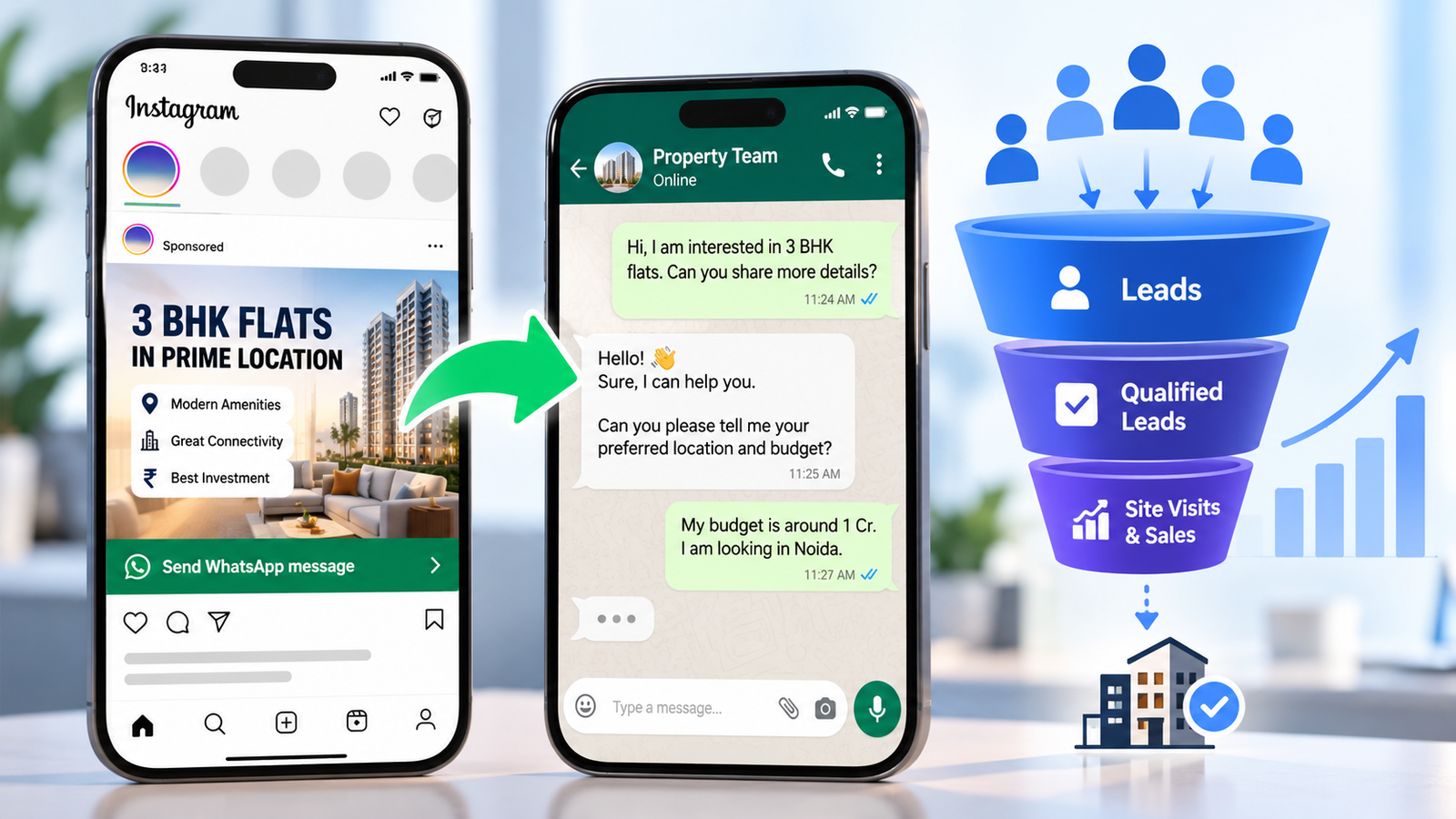
For many Indian businesses, WhatsApp is already where price questions, bookings and enquiries happen. Yet most ad campaigns still send people to a landing page and hope they fill out a form. WhatsApp click-to-chat ads skip that step: someone taps your Facebook or Instagram ad and lands directly in a WhatsApp chat with you.
In this guide, you will learn how to set up WhatsApp click-to-chat ads in Meta Ads Manager, what they cost in India after Meta’s October 2026 pricing changes, and how to handle the chats so they turn into customers. If you also want a stronger overall ad setup, see our Meta Ads management services in Delhi.
Quick answer: To run WhatsApp click-to-chat ads, link a WhatsApp Business number to your Facebook Page, create a campaign in Meta Ads Manager, choose WhatsApp as the destination, add a pre-filled message template, then publish and test the ad from a real phone.
What Are WhatsApp Click-to-Chat Ads?
WhatsApp click-to-chat ads are Facebook and Instagram ads with a button that opens a conversation with your business on WhatsApp. Meta’s official name for the format is “Click to WhatsApp” (CTWA) ads, so you will see both terms online.
One point causes a lot of confusion. A click-to-chat link (the wa.me link on your website or Instagram bio) is not the same as paid WhatsApp click-to-chat ads. Here is the difference:
| Click-to-chat link (wa.me) | WhatsApp click-to-chat ads | |
|---|---|---|
| Cost | Free to create | Ad budget required |
| Reach | Only people who already see your site or profile | Targeted audiences on Facebook and Instagram |
| Tracking | Needs your own setup | Messaging results appear in Ads Manager |
| Free messaging benefit | No | Yes, a free entry point window (explained below) |
A simple wa.me button on your site is still useful. If you do not have one yet, our website design team in Delhi can add it to your key pages.
Why Indian Businesses Use WhatsApp Click-to-Chat Ads
These ads work best when the buyer has questions before paying. Think coaching institutes, clinics, real estate, salons and gyms, home services and D2C brands.
- Shorter path: No page to load and no form to fill.
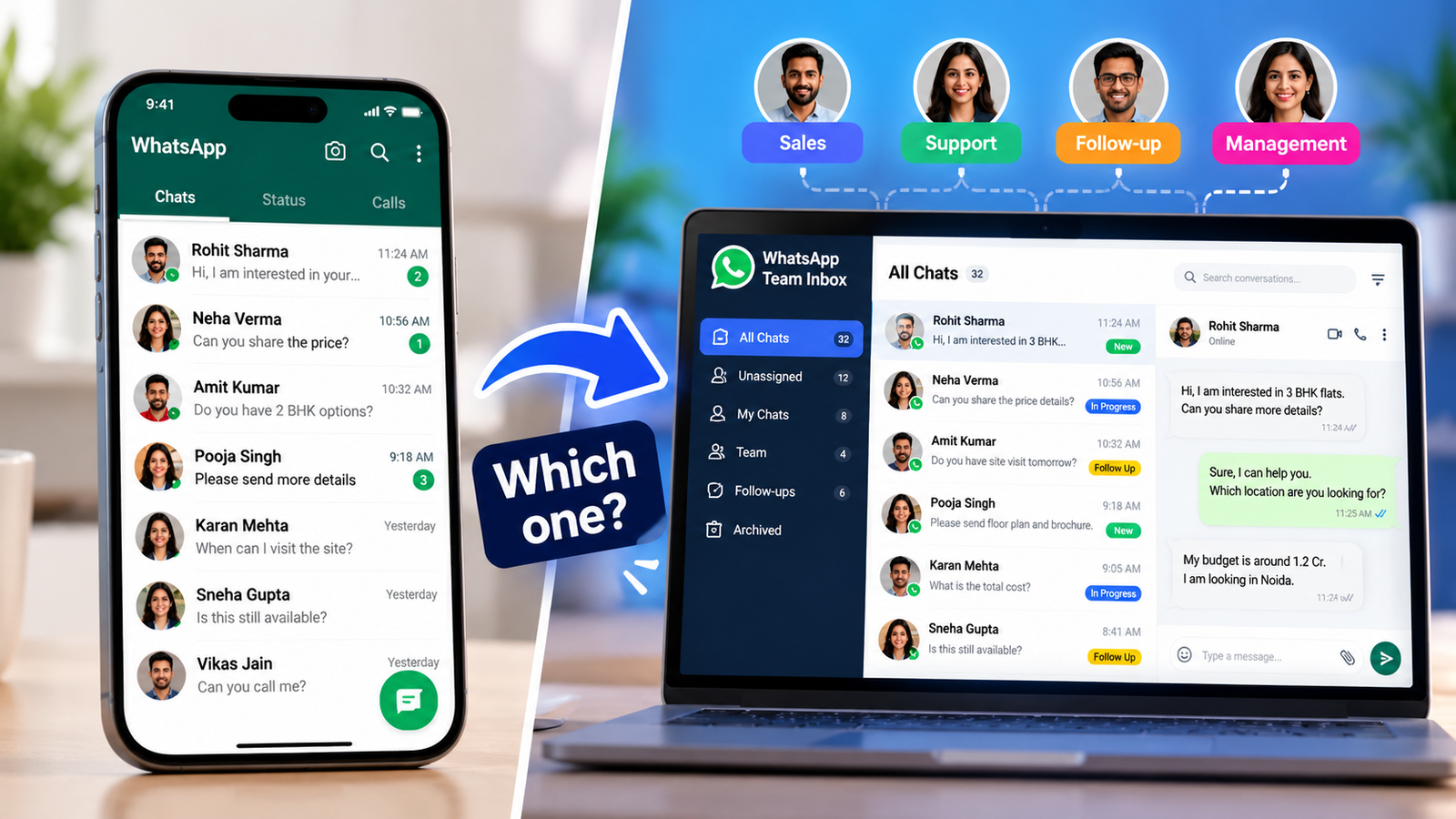
- Better sales conversations: You see the person’s exact question and can answer with price, photos or a payment link.
- Easy follow-up: The chat stays in a tool your team already uses.
- Messaging cost benefit: Meta may let you reply free of charge for a period (see the cost section).
If you run a coaching institute or a clinic, this format often fits naturally because people want to ask about fees, timings or availability first.
One honest limit: WhatsApp click-to-chat ads only work if someone replies quickly. If nobody can answer within minutes during business hours, fix that before you spend on ads.
What You Need Before You Start
- A WhatsApp Business number (the WhatsApp Business app or the WhatsApp Business API). Personal WhatsApp numbers are not supported.
- A Facebook Page connected to that number.
- A Meta business portfolio (Business Manager) that holds your Page, ad account and WhatsApp account together.
- A working payment method in your ad account.
- A phone with WhatsApp (Android or iOS) for testing.
- A person or team ready to reply fast.
The most common reason WhatsApp does not appear as an option in Ads Manager is that the number, Page and ad account are not linked under the same Meta business portfolio.
WhatsApp Business App or API: Which One Should You Use?
Both can power WhatsApp click-to-chat ads, but they suit different stages.
| WhatsApp Business app | WhatsApp Business API | |
|---|---|---|
| Best for | Solo owners and small teams with manageable chat volume | Multiple agents, automation, CRM links, higher volume |
| Setup | Quick, from your phone | Through a provider (BSP) or direct integration |
| Automation | Basic | Advanced (chatbots, routing, templates) |
| Cost | App is free | Provider fees plus Meta per-message charges where they apply |
Simple rule: start with the app if you handle a few chats at a time. Move to the API when you need several agents, automated replies or CRM tracking.
How to Set Up WhatsApp Click-to-Chat Ads in Meta Ads Manager
Meta changes Ads Manager labels often, so your screen may look slightly different. The flow below follows Meta’s documented process for WhatsApp click-to-chat ads.
Step 1: Connect Your WhatsApp Number to Your Facebook Page
Link and verify your WhatsApp Business number with your Facebook Page and business portfolio. Ads Manager only lets you pick a connected number; you cannot type one in manually.
Step 2: Start a New Campaign and Choose an Objective
Open Ads Manager and click + Create. Meta lets you send people to WhatsApp from several objectives, including Traffic, Engagement, Leads, Sales and Awareness. As a practical starting point:
- Service businesses (coaching, clinics, local services): Leads or Engagement.
- E-commerce and D2C: Sales.
If you are unsure, ask your ad manager to match the objective to your goal. Our lead generation team does this every week for Delhi NCR businesses.
Step 3: Select WhatsApp as the Conversation Destination
At the ad set level, choose the messaging or conversion location option and select WhatsApp. Then pick your connected business number.
Step 4: Set Audience, Placements and Budget
- Location: For local businesses, target the city or a radius around your outlet.
- Audience: Start broad on age and location, then refine once you see which chats convert.
- Placements: Keep Facebook and Instagram feeds and Stories on, then check results by placement.
- Budget: Choose a daily budget you can sustain for at least a week, so you have enough data to judge.
Step 5: Build the Ad Creative
Add your image or video, primary text and headline, and choose a WhatsApp call-to-action button such as “Send WhatsApp message.” Your creative must give people a reason to start a chat (an offer, a question you answer, a demo or a quote).
Step 6: Create Your WhatsApp Message Template
This is the pre-filled message people send when they tap your ad. In the message template section, choose Create new or Use existing, then set a greeting and optional quick-reply questions. Keep it short and specific.
Copy-paste examples (edit for your business):
- Coaching institute: “Hi, I want details about the Class 11 Maths batch (fees, timing, demo class).”
- Clinic: “Hi, I would like to book a consultation. What slots are available this week?”
- D2C brand: “Hi, I’m interested in [product name]. Is it available in my size/pincode?”
Step 7: Publish and Test Before You Spend
After the ad goes live, open it on a real phone, tap the button and confirm that WhatsApp opens with your message already filled in. Then, in Ads Manager, open Columns → Customize Columns and add the messaging metrics so you can track conversations started.
How Much Do WhatsApp Click-to-Chat Ads Cost in India?
You pay in two places, and mixing them up is the most common budgeting mistake.
1. Ad spend (paid to Meta through your ad account). You set the budget. The actual cost per conversation depends on your industry, offer, creative, audience and competition, so no honest guide can promise a fixed number.
2. Messaging fees (WhatsApp Business Platform). Meta charges per delivered message for business-to-user messages and does not charge when a user messages you. Here is how it applies to WhatsApp click-to-chat ads, based on Meta’s pricing documentation (effective 1 October 2026):
- Free entry point window: When someone messages you from the ad on the Android or iOS app and you reply within the 24-hour customer service window, a free entry point window opens. While it is open, marketing, utility, authentication and service messages are not charged. Meta says it can stay open for up to 7 days. Older guides quote 72 hours, so always check Meta’s current page.
- Outside that window: Template messages are charged per delivered message by category and by the recipient’s country. Third-party summaries put India’s Meta list rate at roughly ₹0.86 per marketing message and ₹0.115 per utility message, but confirm the exact figures on Meta’s INR rate card before budgeting.
- New from 1 October 2026: Service messages (your free-form replies outside the free entry point window) are charged after the first 1,000 free per business phone number each month. Add a payment method to your WhatsApp account to avoid delivery issues.
- Provider fees: If you use the API through a provider, add their platform fee or per-message markup.
- INR billing: Eligible businesses and providers in India must migrate their messaging accounts to INR by 31 December 2026, according to Meta.
The key takeaway: the ad itself is never free, but the chat that follows can be free during the window. That makes fast replies a cost-saving habit, not just a sales habit.
Ad Copy and Creative Ideas for WhatsApp Click-to-Chat Ads
Good WhatsApp click-to-chat ads make messaging feel like the easiest next step. Use this formula: Problem → Offer → Reason to message now → One easy action.
Illustrative examples, not client results:
- Coaching: “Class 11 admissions open. Message us ‘BATCH’ for fees, timings and a free demo class.”
- Local service: “AC servicing in Delhi NCR. Send a message for a same-day visit slot and a clear quote.”
- D2C: “Not sure about the size? Message us and we’ll help in minutes, before you order.”
Avoid guarantees and exaggerated claims. For health, finance and similar categories, follow Meta’s advertising policies and keep your promises realistic.
What to Do After the Click: A Simple Chat Playbook
This is where most WhatsApp click-to-chat ads win or lose.
- Reply within minutes. Speed matters for lead quality and for opening the free window.
- Send a clear first reply: greet, confirm what they asked about, and ask one qualifying question.
- Qualify with two or three questions (budget, timeline, location or need).
- Move to the next step: a call, booking link, demo or payment link.
- Label every lead (new, qualified, booked, lost) in the WhatsApp Business app or your CRM.
- Follow up inside the window, and only message people who have opted in to hear from you.
If your product pages need improvement before ads drive chats to them, our eCommerce growth and CRO service can help.
Common WhatsApp Click-to-Chat Ads Mistakes (and Fixes)
- Using a personal number. Use a WhatsApp Business number.
- Page, number and ad account in different portfolios. Keep them together.
- No one assigned to reply. Assign owners and shifts before launch.
- A generic pre-filled message. Make it specific to the offer.
- Counting chats as leads. Track qualified leads, not just conversations started.
- Skipping the phone test. Always test on a real phone.
- Changing everything every day. Let each version run long enough to judge.
- Messaging people without opt-in. Follow WhatsApp’s opt-in rules.
How to Measure WhatsApp Click-to-Chat Ads Performance
Ads Manager shows conversations started. Business results come from what happens next, so track this funnel:
Conversations started → Qualified leads → Bookings or orders → Revenue
The formula that matters most:
Cost per qualified lead = total ad spend ÷ number of qualified leads
Review weekly. If conversations are cheap but qualified leads are rare, fix the offer, audience or first reply, not the budget.
Are WhatsApp Click-to-Chat Ads Right for Your Business?
- Strong fit: You sell something customers ask about first (fees, price, availability, slots), and someone can reply fast.
- Possible fit: You sell low-ticket products with simple checkouts. Test WhatsApp click-to-chat ads against a normal landing page.
- Weak fit for now: You have no team to answer chats, or your offer is not ready.
Need help with WhatsApp click-to-chat ads? ICONICMONEY helps businesses improve their digital marketing through Meta Ads and lead generation. Request a free marketing audit to discuss your goals.
Final Thoughts
WhatsApp click-to-chat ads shorten the distance between interest and conversation. Set up the number and Page correctly, write a specific message template, reply fast, and measure cost per qualified lead. Do that consistently and WhatsApp click-to-chat ads can become a dependable enquiry channel for your business. For more practical guides, visit the ICONICMONEY blog.
D. FAQ Section
Are WhatsApp click-to-chat ads free?
No. The ad itself is charged through Meta’s ad auction. The messages can be free for a period: when someone messages you from the ad and you reply within 24 hours, Meta opens a free entry point window in which marketing, utility, authentication and service messages are not charged.
Do I need the WhatsApp Business API to run click to WhatsApp ads?
Not always. Meta supports numbers from the WhatsApp Business app or the API. The API becomes useful when you need multiple agents, automation or CRM integration.
Can I use my personal WhatsApp number for WhatsApp click-to-chat ads?
No. You need a WhatsApp Business number linked to your Facebook Page and business portfolio.
How long does the free messaging window last?
According to Meta’s current pricing page, the free entry point window can stay open for up to 7 days after you reply within the 24-hour customer service window. It applies when the user messages from the ad on the WhatsApp Android or iOS app. Some older guides still say 72 hours.
Which campaign objective should I choose for WhatsApp ads?
Meta supports WhatsApp from several objectives, including Traffic, Engagement, Leads, Sales and Awareness. Service businesses often start with Leads or Engagement, and online stores with Sales. Test and compare cost per qualified lead.
Why is WhatsApp not showing in my Ads Manager?
Usually the WhatsApp number is not verified, not linked to your Facebook Page, or the Page, ad account and WhatsApp account sit in different business portfolios. Connect them under one portfolio and try again.