WhatsApp Business App vs API: Which One Do You Need?
Your customers already message you on WhatsApp. Then one day a chat gets missed, two team members reply to the same person, or you want to message 500 customers and hit a wall. That is usually when the WhatsApp Business app vs API question starts.
This guide to the WhatsApp Business app vs API choice explains the real differences, what each option costs in India after Meta’s October 2026 pricing changes, and how to decide using a simple scorecard. If you already run ads, you can also pair this with our Meta Ads management services in Delhi.
Quick answer: In the WhatsApp Business app vs API decision, choose the app if one person or a very small team replies from phones at low volume. Choose the API if you need many agents on one number, broadcasts beyond 256 contacts, automation, or CRM integration. If you are already on the app and want to add the API, ask whether Coexistence is available for your number.
WhatsApp Business App vs API at a Glance
Here is the WhatsApp Business app vs API comparison in one table.
| WhatsApp Business app | WhatsApp Business API (Platform) | |
|---|---|---|
| Best for | Solo owners and very small teams | Growing teams, higher volume, automation |
| Access | Free app for Android and iOS | Through a provider (BSP) or direct integration; no built-in chat screen |
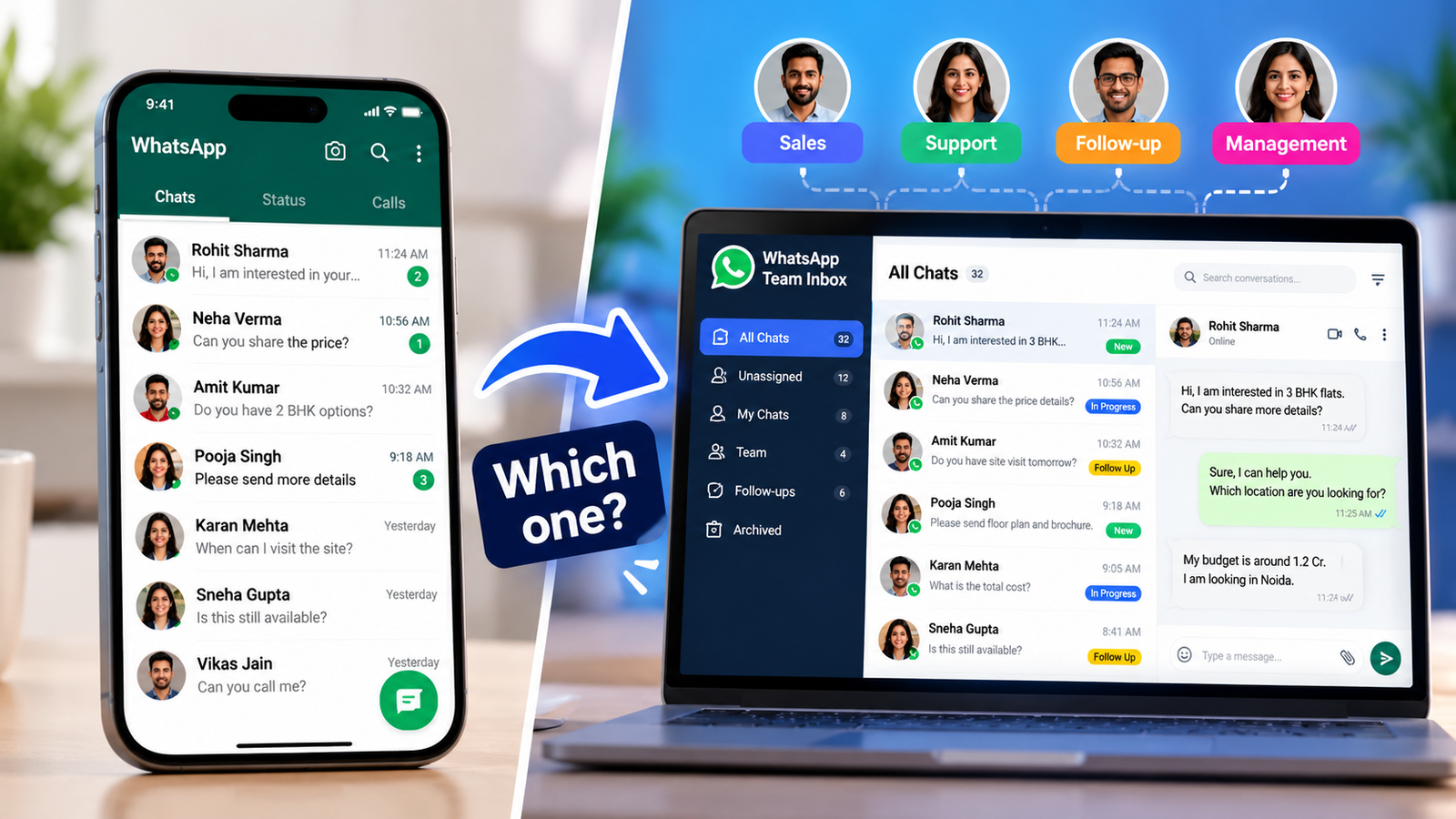
| Team access | One primary phone plus up to 4 linked devices (some guides count 5 devices in total; confirm in your app) | Many agents through a shared inbox |
| Broadcast | Lists capped at 256 recipients who have saved your number | No fixed list cap; only to opted-in users, subject to quality limits |
| Automation | Greeting, away message, quick replies | Chatbots, routing, flows, workflows |
| Integrations | None | CRM, helpdesk, e-commerce and more |
| Cost | App is free | Meta per-message charges plus provider fees |
What Is the WhatsApp Business App?
The WhatsApp Business app is a free app for small businesses. You get a business profile, catalogue, labels, quick replies, greeting and away messages, and simple broadcast lists.
Where it works well: a single owner, a small shop, a freelancer or a clinic desk that answers chats from one phone and a laptop.
Where it struggles:
- Linked devices all see the same chats, so there is no assigning a conversation or seeing who replied.
- Broadcast lists stop at 256 recipients, and each recipient must have your number saved.
- There is no CRM link or advanced automation.
What Is the WhatsApp Business API?
The WhatsApp Business API (officially the WhatsApp Business Platform) lets software talk to WhatsApp. It has no chat screen of its own. You use it through a provider’s inbox, your CRM or your own system.
That is why it suits teams: you can add many agents, assign chats, trigger automatic replies, send approved templates and connect your customer data.
The trade-off is cost and setup. You pay Meta’s per-message charges where they apply, and usually a provider’s platform fee as well.
What Is Coexistence (Using Both on One Number)?
Meta offers a feature called Coexistence. It lets an eligible WhatsApp Business app number connect to the Platform while you keep using the app. You keep one customer-facing number and add API-based workflows. Meta’s partners also note that it can keep your chat history and support Click to WhatsApp ad campaigns.
Three cautions:
- Meta recommends it mainly for businesses already using the app consistently that want advanced tools to scale.
- Not every number or region is eligible, so ask your provider to confirm.
- A number that is already running on the API cannot be onboarded this way.
Coexistence changes the WhatsApp Business app vs API choice from “one or the other” to “start on the app, add the API when ready.”
Key Differences in the WhatsApp Business App vs API Decision
Feature tables hide what actually causes pain. These are the five differences that usually decide it.
1. Team size and ownership
With the app, every linked device sees every chat. Once support becomes a real function with shifts and a manager, you need assignment and history per agent. That is an API-side feature.
2. Broadcast reach
The app caps each list at 256 recipients, and only people who saved your number receive it. The API has no fixed cap, but you may message only users who have opted in, and WhatsApp can limit you if recipients report or ignore your messages.
3. Automation
The app stops at greetings, away messages and quick replies. The API can run order updates, payment reminders, lead qualification flows and chatbots.
4. Integrations and reporting
The API connects to your CRM and helpdesk, so a lead’s chat history can sit next to their record. The app keeps everything inside the app.
5. Cost model
The app is free. The API is not, and this is where most Indian business owners hesitate. The next section breaks it down.
WhatsApp Business App vs API Cost in India
The app costs nothing to use. The API has two cost layers, and the WhatsApp Business app vs API cost gap depends on how you use messaging.
1. Meta’s messaging charges. Since 1 July 2025, Meta charges per delivered message, not per conversation. Meta does not charge when a user messages you. Here is how it works according to Meta’s pricing documentation (effective 1 October 2026):
- Template messages are charged by category (marketing, utility, authentication) and by the recipient’s country. A message to a +91 number uses India’s rate.
- Service messages (your free-form replies in an open 24-hour window) are charged from 1 October 2026 after the first 1,000 free per business phone number each month.
- Free entry point window: if a customer messages you from a Click to WhatsApp ad and you reply within 24 hours, Meta does not charge for marketing, utility, authentication or service messages while that window is open (up to 7 days).
- INR billing: eligible businesses and providers in India must move their messaging accounts to INR by 31 December 2026, according to Meta.
2. Provider fees. Most Indian businesses reach the API through a provider. Fees vary, from a monthly platform fee with messages at cost to a markup on every message. Always get this in writing.
Rate check: third-party summaries of Meta’s 1 October 2026 card put India’s list rate at about ₹0.86 per marketing message and ₹0.115 per utility message. Confirm both on Meta’s INR rate card before budgeting.
Illustrative maths (not a quote): 2,000 marketing messages at ₹0.86 is about ₹1,720, and 3,000 utility messages at ₹0.115 is about ₹345. That is roughly ₹2,065 in Meta charges for the month, before GST and provider fees.
The lesson in the WhatsApp Business app vs API cost question: the message mix drives your bill. Marketing templates cost several times more than utility ones, so send marketing messages only when they earn their cost. Optional AI replies from Meta are billed separately per token, so model them on their own.
Which One Do You Need? A Simple Decision Framework
Answer these seven questions. Each “yes” points to the API.
- Do more than two or three people need to reply from the same number?
- Do you need to message more than 256 people at once?
- Do you need chats assigned to specific agents, with a history of who replied?
- Do you want automated replies beyond a greeting and away message?
- Do you need chats to sync with your CRM, Shopify store or helpdesk?
- Do you send order updates, reminders or payment links at volume?
- Do you plan to scale your ad spend, including Click to WhatsApp ads?
How to read your score:
- 0–1 yes: Stay on the app. Using the API now would add cost without benefit.
- 2–4 yes: You are in the transition zone. Check if Coexistence is available and get provider quotes.
- 5–7 yes: Move to the API. Staying on the app will cost you in missed chats and manual work.
This scoring is our editorial guideline, not a Meta rule. The WhatsApp Business app vs API decision also depends on your team and budget.
Examples (illustrative, not client results):
- A home baker taking orders in Delhi: one phone, a few chats a day. The app is enough.
- A coaching institute running admission ads: several counsellors need to answer leads and track follow-ups. The API, or Coexistence, fits. See our coaching institute marketing page.
- A D2C store sending order updates: automation and Shopify sync matter, so the API is the practical choice. Our eCommerce growth and CRO service can help connect the funnel.
- A clinic managing appointments: a small team can start on the app. Move to the API once reminder volume grows. Read about clinic marketing.
How Your Choice Affects WhatsApp Ads
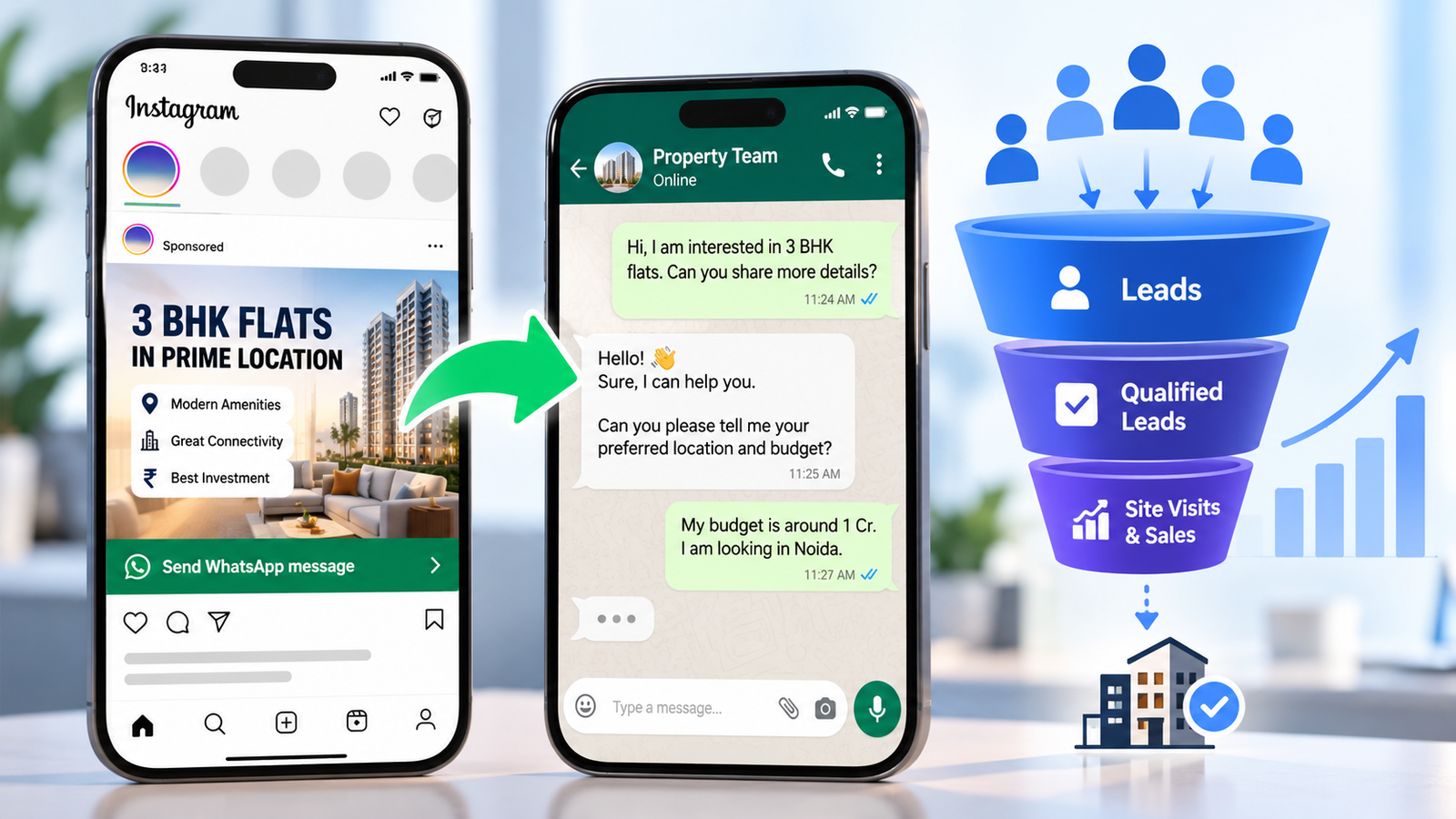
Click to WhatsApp ads can send people to a number on either the app or the API. If you run ads, the WhatsApp Business app vs API choice decides how many chats you can handle and how well you can track lead quality. If volume is rising, the API (or Coexistence) usually pays for itself in organised follow-up. Our lead generation team can set up the full flow, from ad to qualified enquiry.
Questions to Ask a WhatsApp API Provider
Copy and paste these into your enquiry:
- Do you pass through Meta’s rates at cost or add a markup per message? What is the exact markup?
- What is the monthly platform fee, and what does it include (agents, chatbot, broadcasts)?
- Do you support Coexistence for my existing app number?
- How many agents are included, and what does each extra agent cost?
- Will you invoice in INR with GST?
- Can I export my chats and contacts if I leave?
- Do you integrate with my CRM or store?
- What support do you give for template approval?
Moving From the App to the API: A Simple Checklist
- Export or back up important chats and contacts.
- Check whether your number is eligible for Coexistence.
- Prepare your Meta business portfolio and complete business verification if your provider asks for it.
- Pick a provider and confirm costs in writing.
- Draft message templates and get them approved.
- Set up your shared inbox with agent roles.
- Test replies, templates and handoffs before telling customers.
- Collect opt-ins before you send any broadcasts.
Common WhatsApp Business App vs API Mistakes
- Switching too early. If you answer a handful of chats a day, the API only adds cost.
- Staying too long on the app. Missed chats and double replies are a hidden cost.
- Choosing a provider on price alone. Hidden markups can outweigh a low monthly fee.
- Messaging without opt-in. It risks complaints and message limits.
- Treating the API as a magic fix. It needs templates, replies and a process.
- Ignoring the WhatsApp Business app vs API cost split. Budget Meta fees and provider fees separately.
Need help choosing between the WhatsApp Business app vs API? ICONICMONEY helps businesses improve their digital marketing through Meta Ads and lead generation. Request a free marketing audit to discuss your goals.
Final Thoughts
The WhatsApp Business app vs API decision is about fit, not features. Start on the app while you are small, watch for the signs (missed chats, the 256 cap, no CRM), and move to the API, or add it through Coexistence, when the pain is real. The right WhatsApp Business app vs API choice is the one your team can run well every day. For more practical guides, visit the ICONICMONEY blog.
D. FAQ Section
Is the WhatsApp Business app free?
Yes. The app is free to download and use. The API is not free: Meta charges per delivered message in many cases, and providers usually add platform fees.
What is the main difference in the WhatsApp Business app vs API?
The app is built for one person or a very small team on phones. The API is built for software and teams, with many agents, automation, integrations and no fixed broadcast list cap.
Can I use the same number on the WhatsApp Business app and the API?
Only through Coexistence, and only if your number is eligible. A number already running on the API cannot be onboarded to Coexistence. Ask your provider to confirm eligibility.
How many people can use the WhatsApp Business app?
Most current guides say one primary phone plus up to four linked devices, though some count five devices in total. Everyone sees the same chats, and you cannot assign conversations.
Which is better for a small business in the WhatsApp Business app vs API choice?
Usually the app, while chat volume is low and one or two people reply. Move to the API when you need many agents, broadcasts above 256, automation or CRM integration.
Can I send bulk messages with the WhatsApp Business app?
Only broadcast lists of up to 256 recipients, and each recipient must have your number saved. For larger campaigns, you need the API and opted-in contacts.